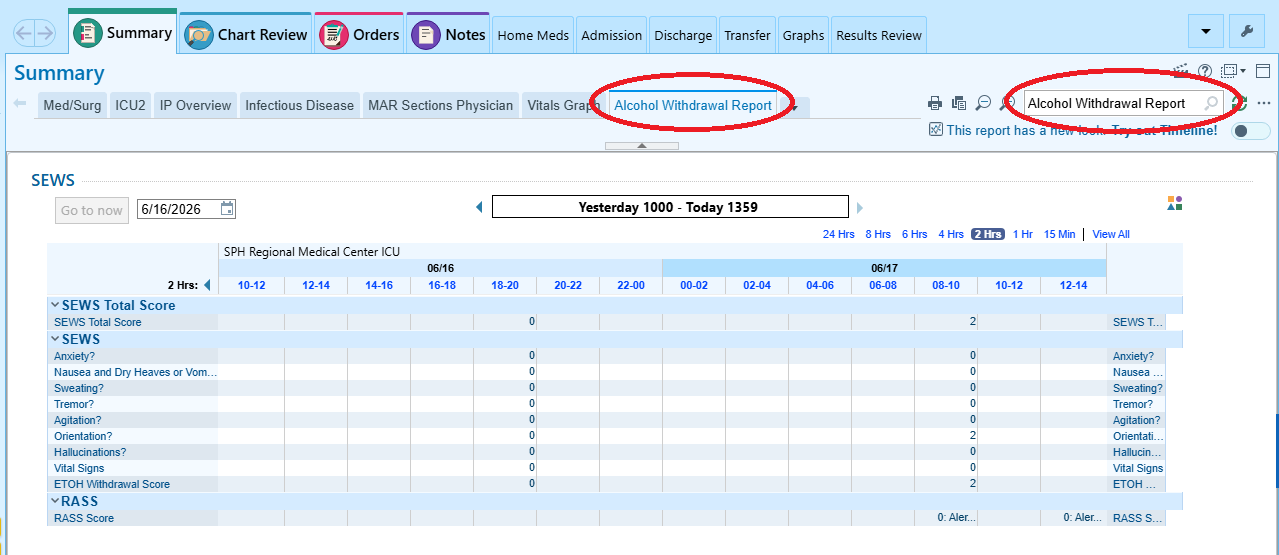
SEWS Scores
Summary tab -> Alcohol Withdrawal Report
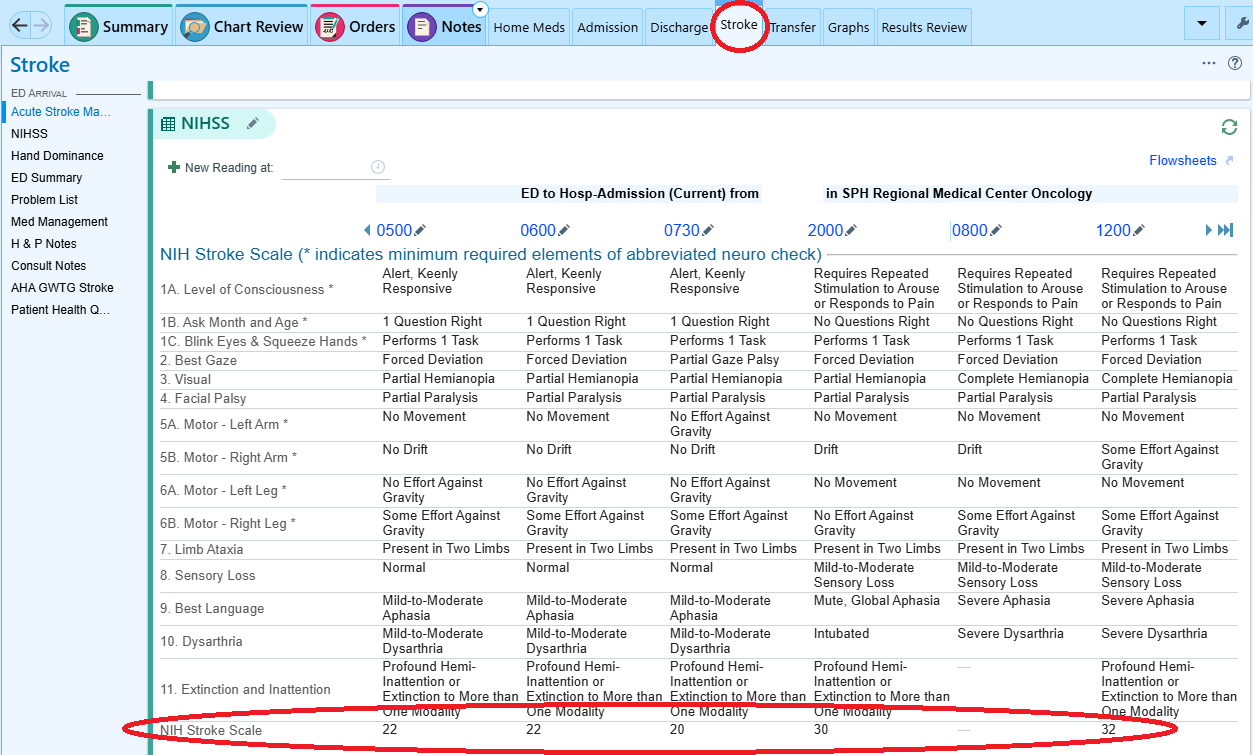
NIH Stroke Scale Score
Stroke tab
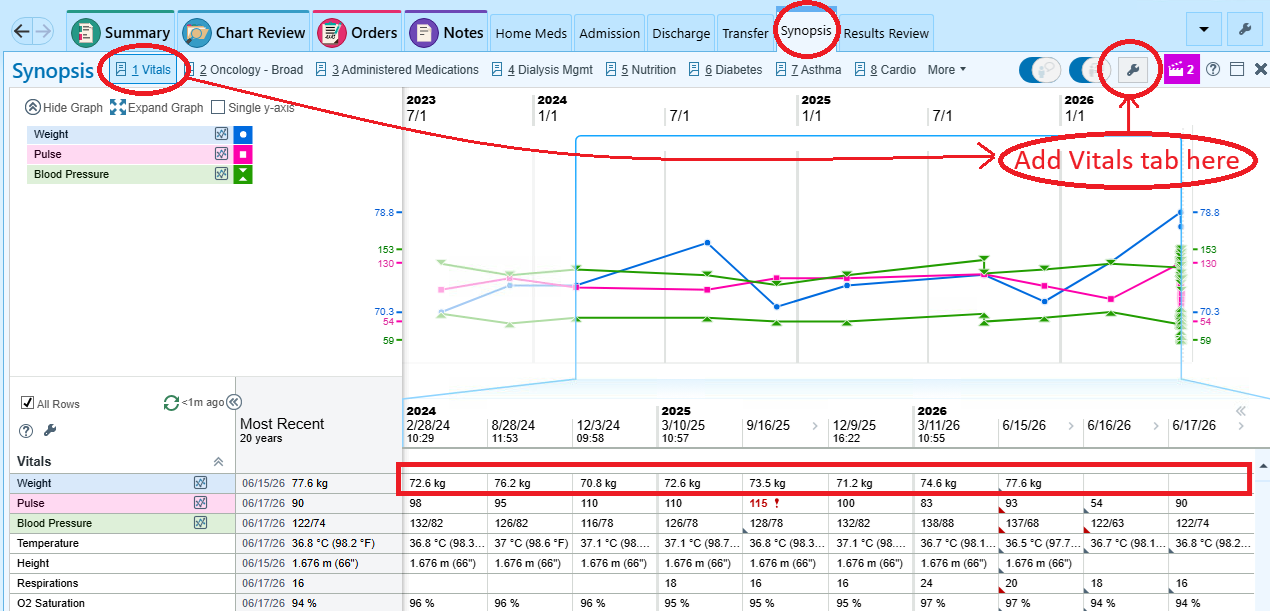
Patient Weights / Historical Weights
Synopsis tab —> Vitals (May need to add via 🔧 wrench icon - “MR Web Synopsis Graphs View”)
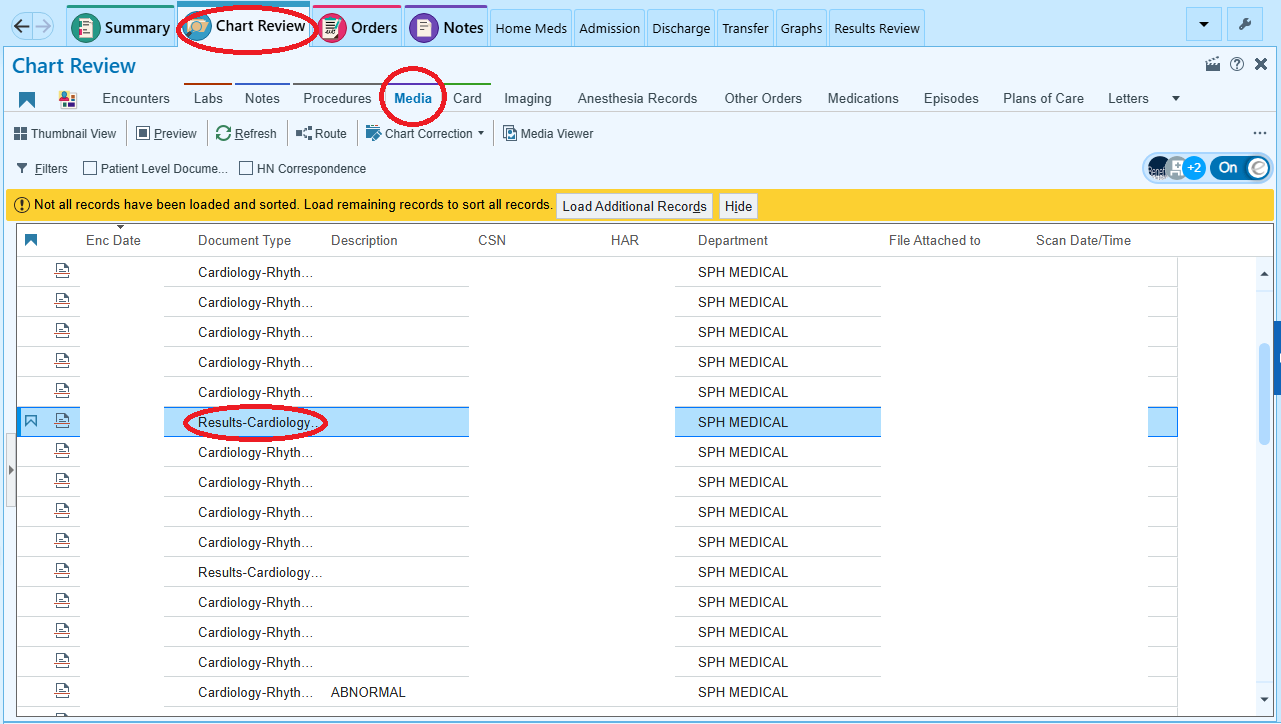
ECG/EKG Tracings
Chart Review —> Media —> “Results-Cardiology _CC”
ECG / EKG Historical Tracings (Not in EPIC)
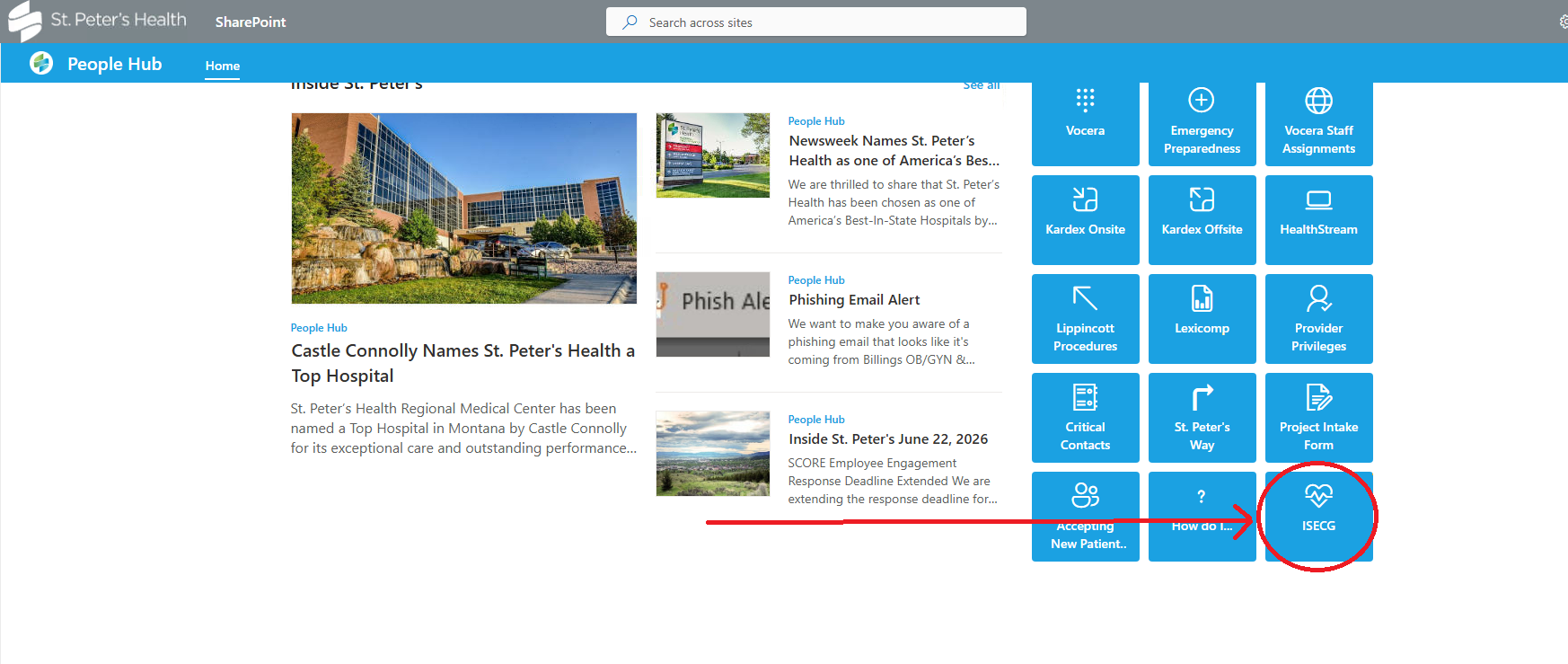
In your browser go to SharePoint (should be your homepage) —> iSECG
OR navigate to https://iecgprod.stpetes.org/IECGA in your browser
ATTENTION
This path is NOT in EPIC, it is its own program. It allows for much more detailed review of ECGs as well as review of older, pre-EPIC, ECGs.
Telemetry Strips and Review
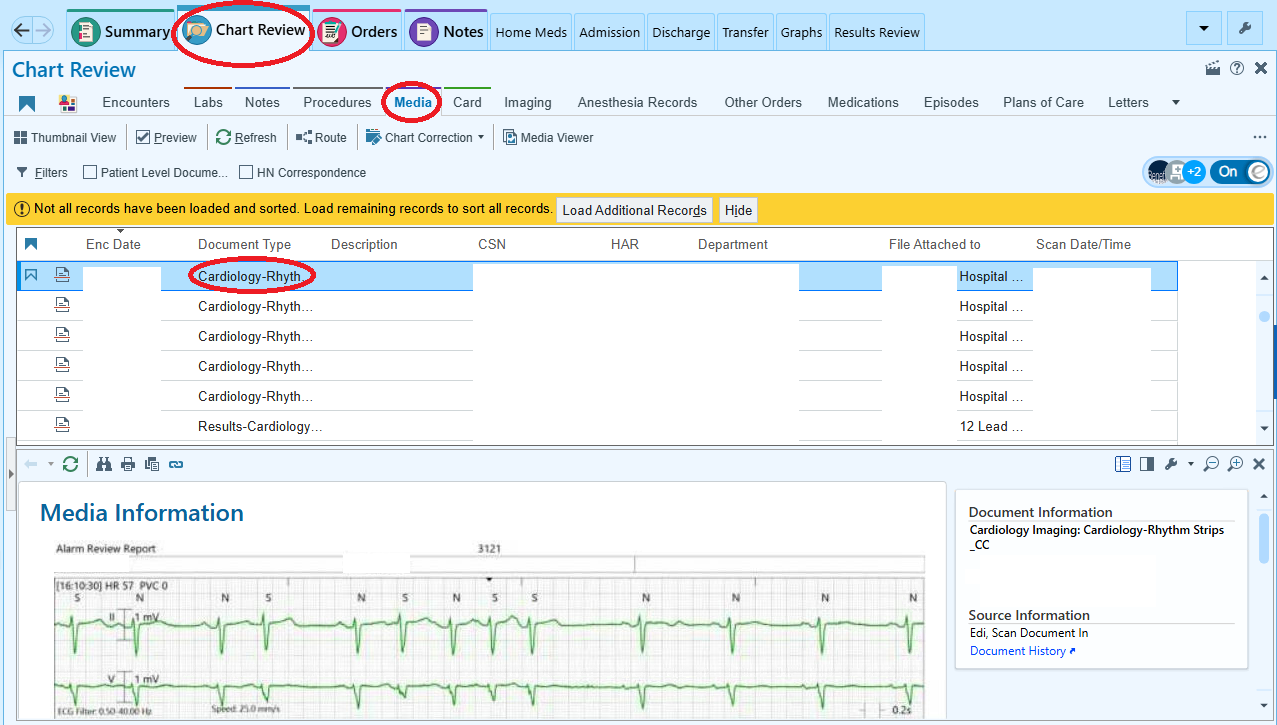
Chart Review —> Media —> “Cardiology-Rhythm Strips _CC”
Transfers (Floor to ICU or ICU to Floor) and Inpatient or Observation Status Changes
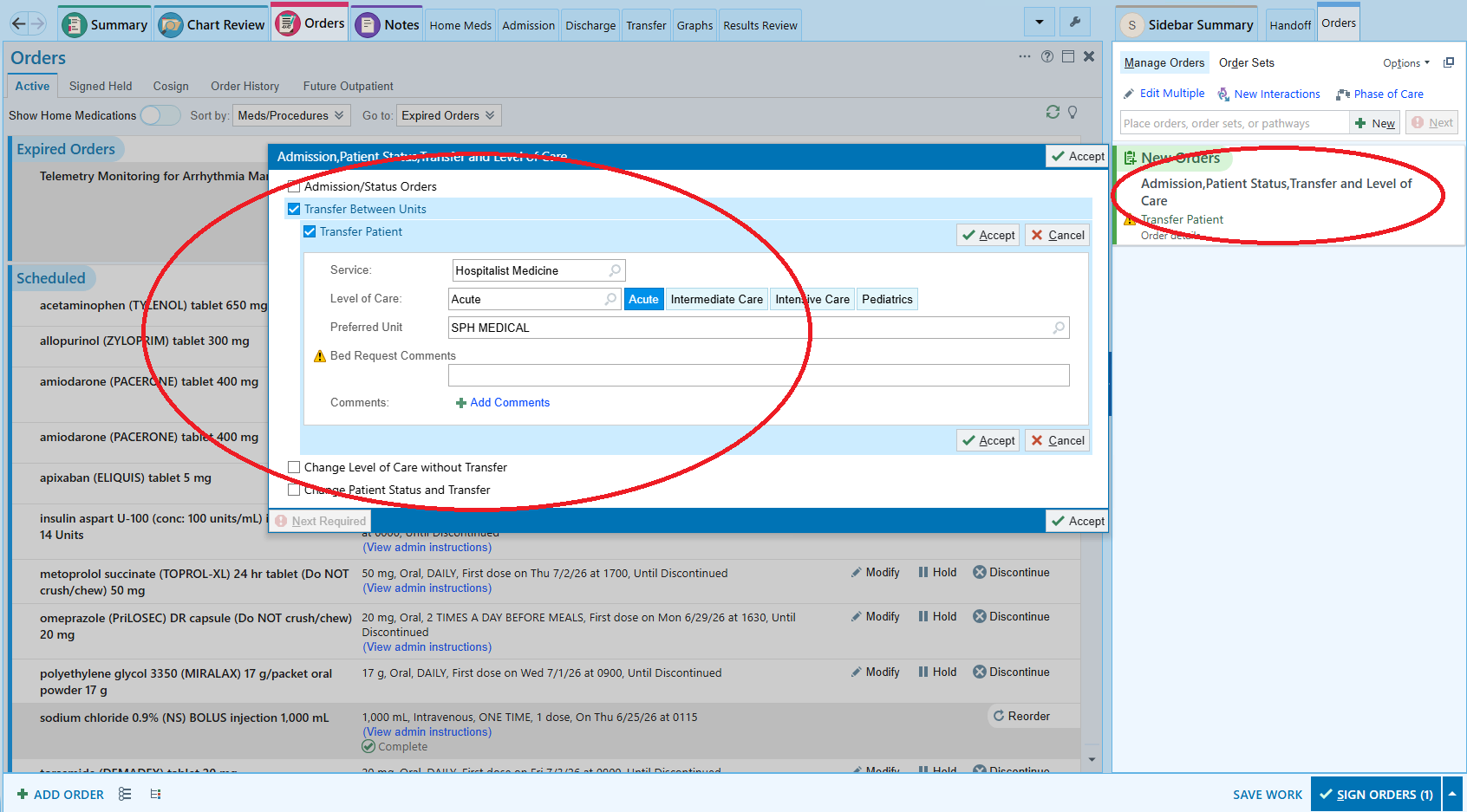
Orders -> “Status” -> Select appropriate status change
Note
When transferring between units, use the “Transfer” tab to reconcile current orders. Then, remember to place the Transfer order as demonstrated above.