PALTeC Call Expectations & Information
General Call Protocol
- Start a Telephone Encounter: Epic icon -> Patient Care -> Telephone Call
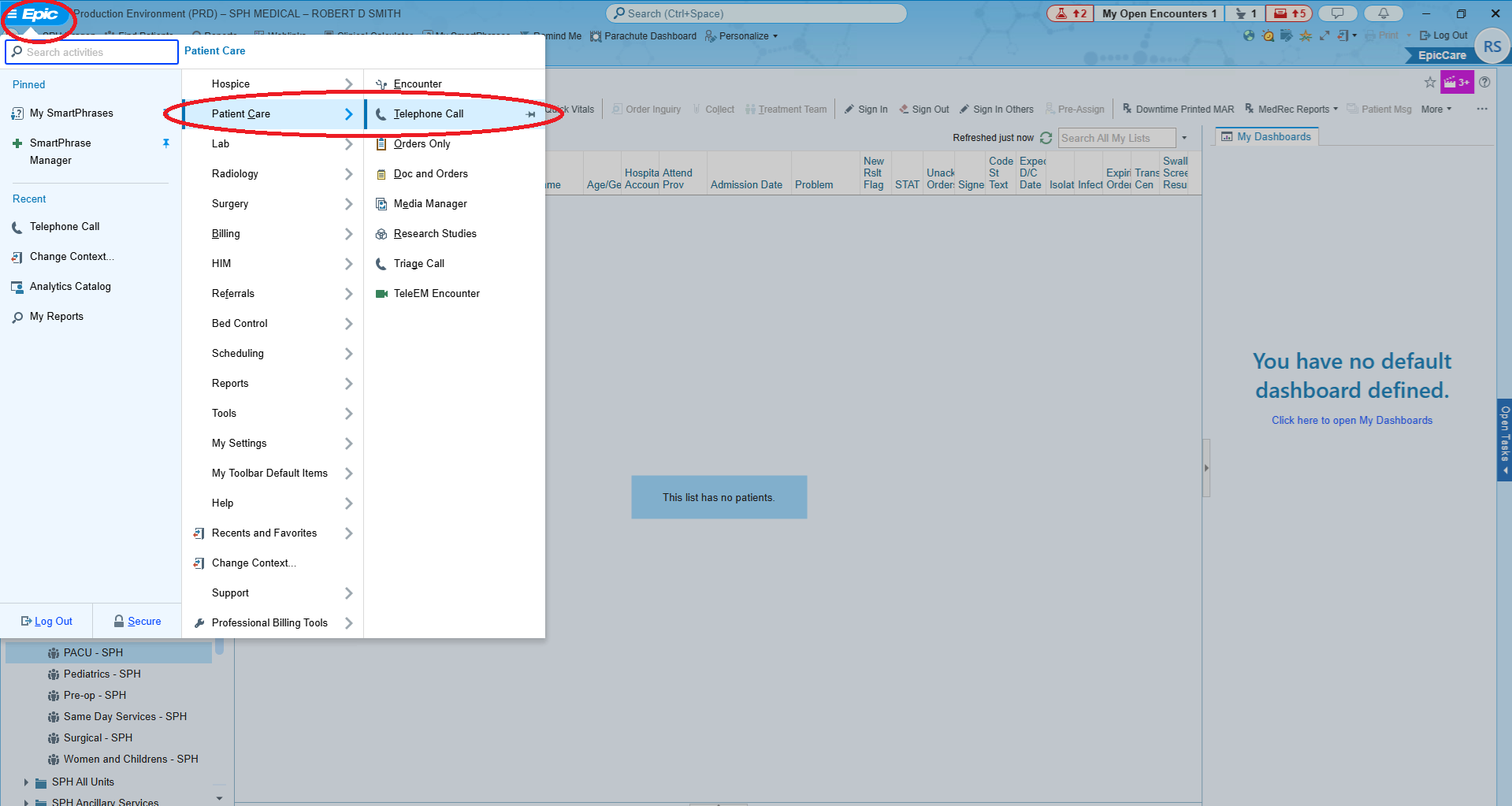
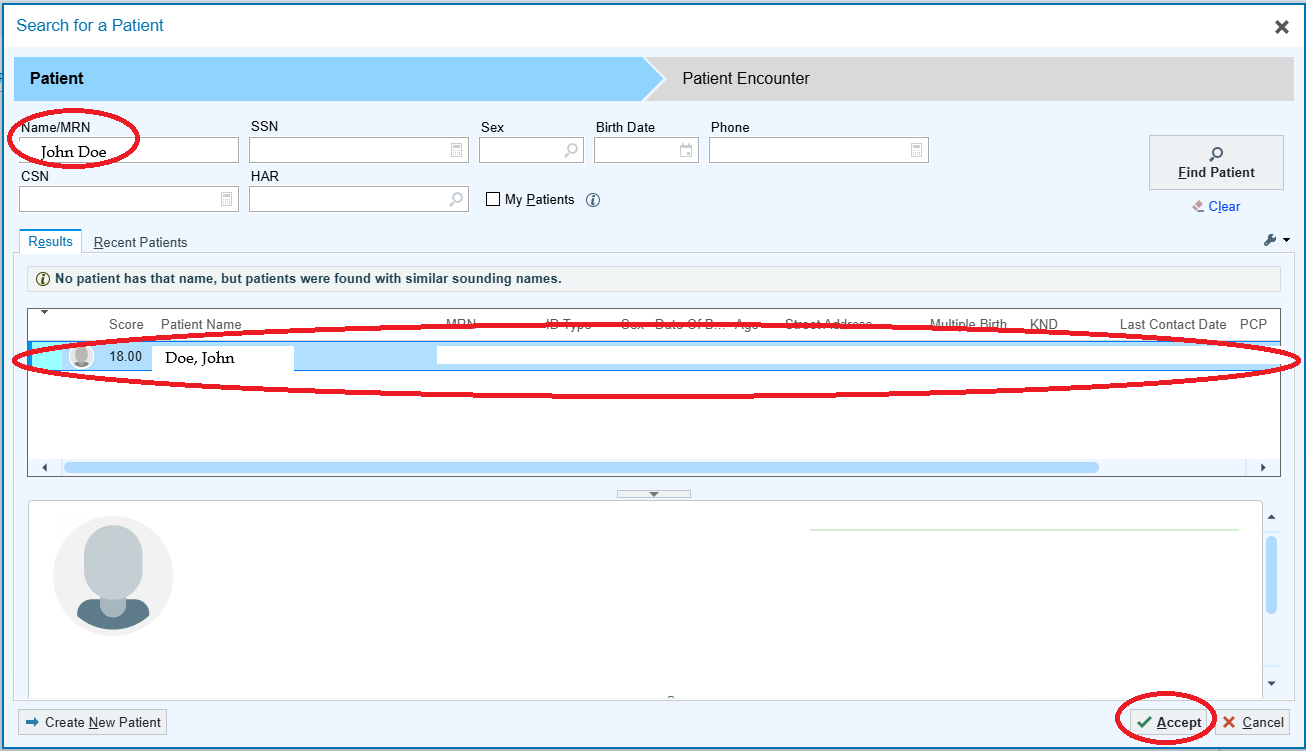
-
Document ALL calls in a telephone encounter in Epic and route to the nurse navigator — Darcy Christopherson, RN
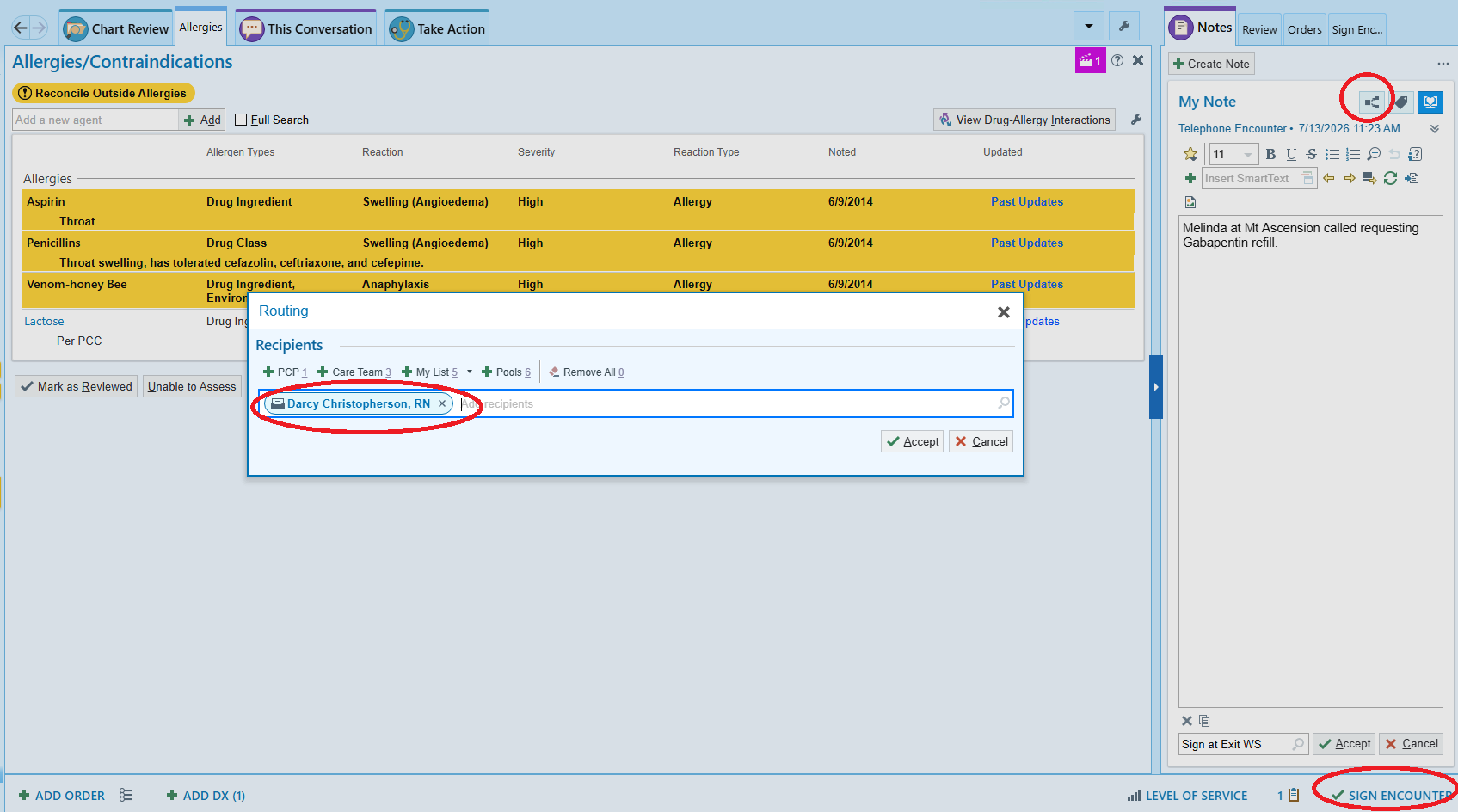
-
Return missed calls promptly — You’ll receive calls directly from SNF staff and messages in Epic from nurse navigators (refill requests, abnormal/urgent lab results, non-injury fall notifications, etc.) throughout the day. If you miss a call from a facility, please return it as soon as possible (within 20 minutes).
SNF Nurse Lines
Mt Ascension 406-442-1350 Cooney 406-447-1650 Elkhorn 406-933-8311
Link to original -
Check EPIC InBasket regularly — For urgent requests M-F, nurse navigators will notify you via phone, but also check your InBasket a few times during daytime weekday call hours (0800-1700). Respond to InBasket messages with an Addendum and reroute back to Darcy Christopherson
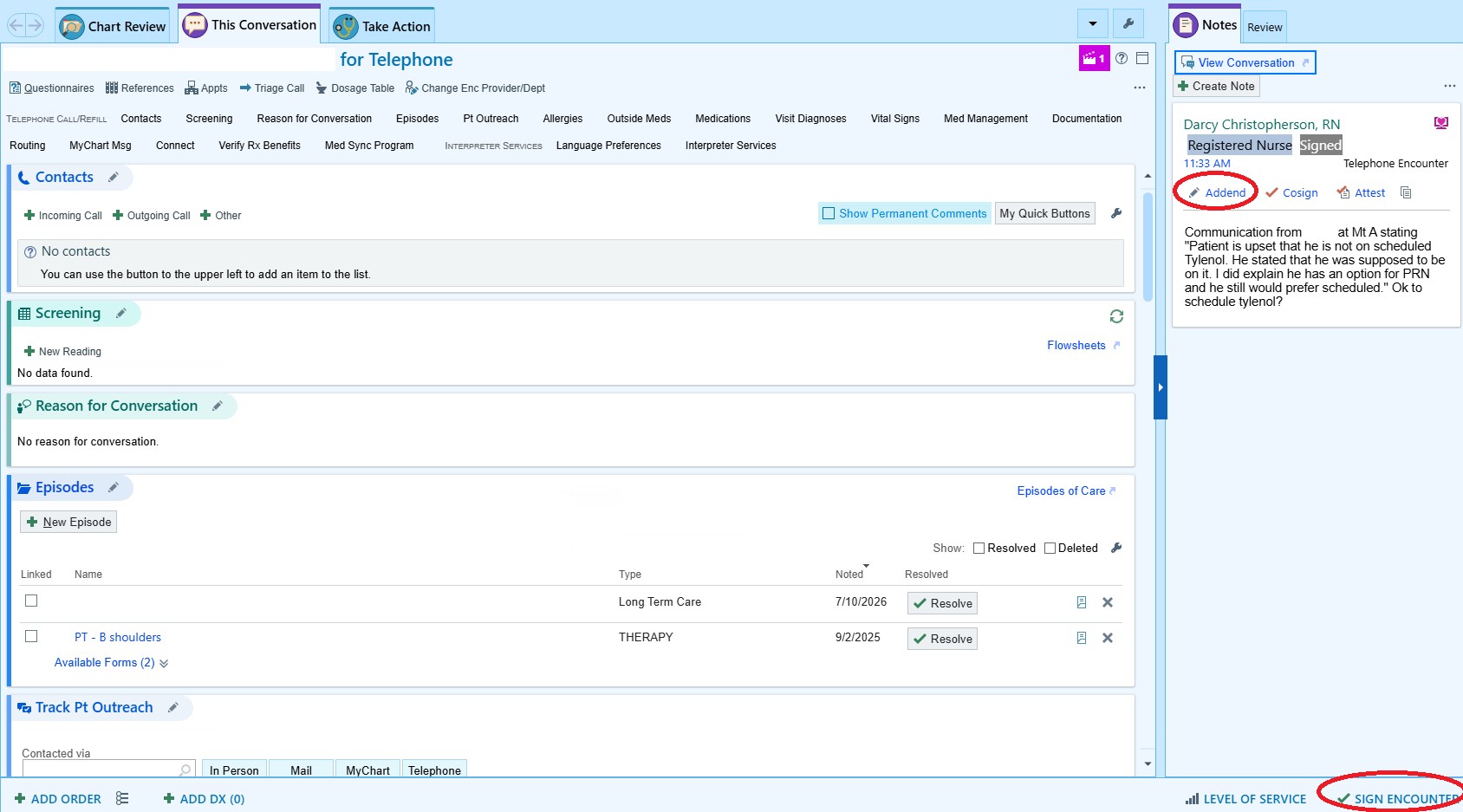
-
Nurse navigator contact — The PALTC nurse navigator phone number is (406) 410-4434, monitored M-F 0800-1430.
PALTC Nurse Navigator
PALTC Nurse Navigator 406-410-4434
Link to original
Morning Huddle & Sign-Out
-
Preferred Send an email to the PALTeC team below with any concerns or items needing followup.
-
Otherwise Call in to the PALTeC morning huddle on Teams (0900, M-F) the morning after your call shift. You may need to request an invite to the meeting.
- Emily Hedum, DO, PALTeC Attending
- Danielle Mateleska, PA-C
- McCall Elverum, DNP
- Darcy Christopherson, RN
Ordering Labs
-
Do NOT order labs in Epic. Instead, give a verbal order to the facility nurse, document in a telephone encounter, and route to PALTeC nurse navigators.
-
Verbal orders must be followed up with a written order e-faxed through Epic to the facilities to ensure accurate order entry into Atlas by facility staff. (Darcy Christopherson may do this for you. Let us know if you are unsure how to complete this.)
Imaging Orders
- Imaging orders that need to be done through SPH do need an order placed in Epic.
Medication Orders
-
Medications must have:
- An order sent to the facility pharmacy (usually just give verbal order to RN) AND
- An e-faxed letter script order (Darcy Christopherson does this)
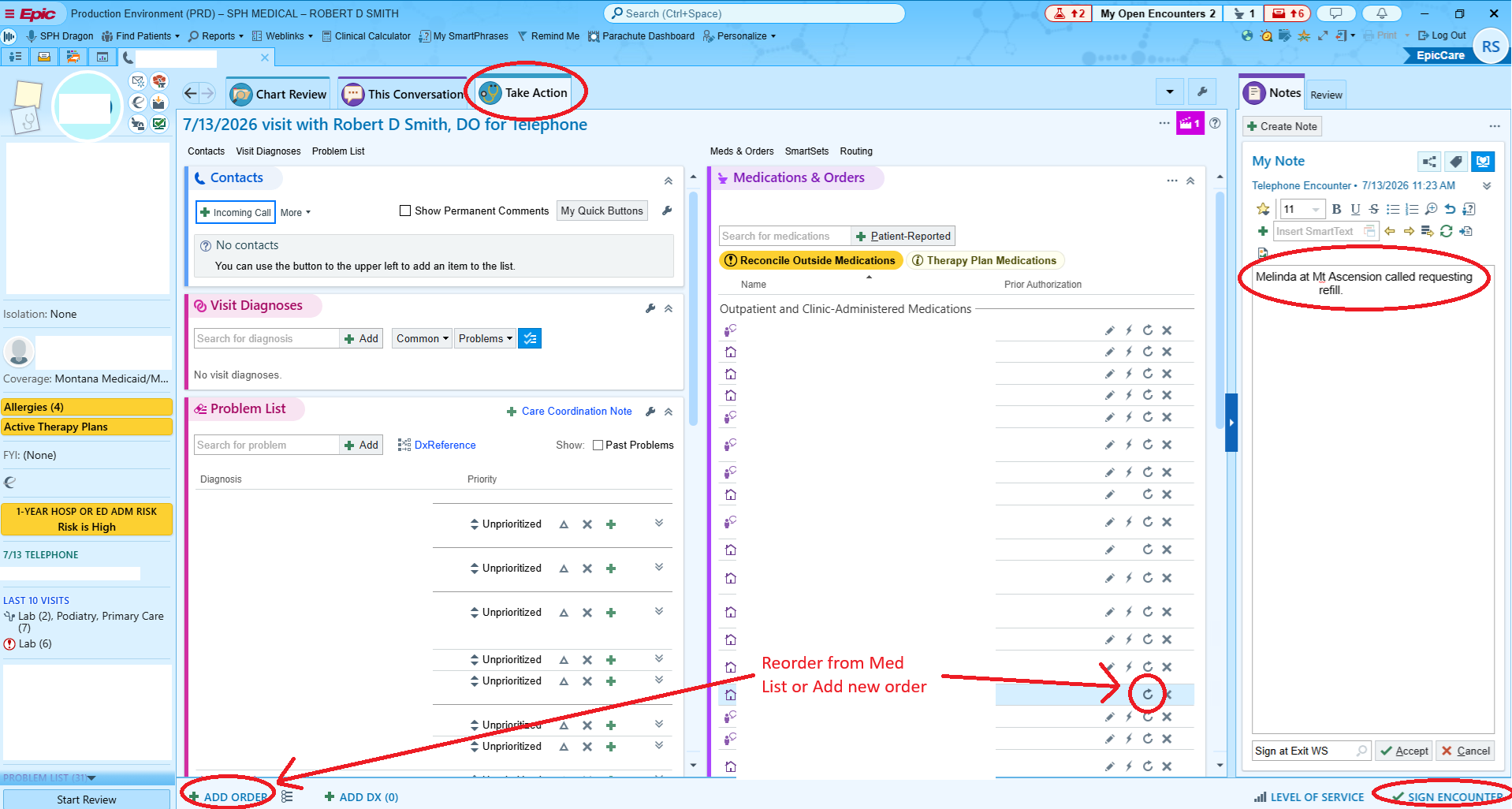
For medications orders that cannot be done verbally, Reorder from the patient Med List or use
+ ADD ORDERto write a new prescription.
-
Pharmacy assignments:
- Cooney and Elkhorn → Continued Care of Boise
- Mt. Ascension → Omnicare of Billings
- See SNF med routing
-
There may be times when prescriptions need to be sent to a local pharmacy — the facility should request this specifically.
Follow-Up
- If you order any labs or imaging, make sure you are routing those results back to PALTeC nurse navigators.