Care Manager Dot Phrases
INFO
These dot phrases populate the specific care manager’s contact number into discharge instructions, replacing the old
.AACRN(Shelly Boyd’s number). Use the dot phrase corresponding to the care manager who has been seeing the patient. If it is the weekend and the patient hasn’t seen a CM, assign to the CM for that weekend.
Care Manager (Case Manager) Dot Phrases
Dot Phrase Care Manager Notes .CMJARRIDJarrid Watkins .CMLISALisa Watkins .CMLORELEILorelei .CMGRACEGrace .CMARYANNMary Ann Mogel .CMHEIDIEHeidi E. .CMHEIDIJHeidi Jacobs ED Care Manager
Link to original
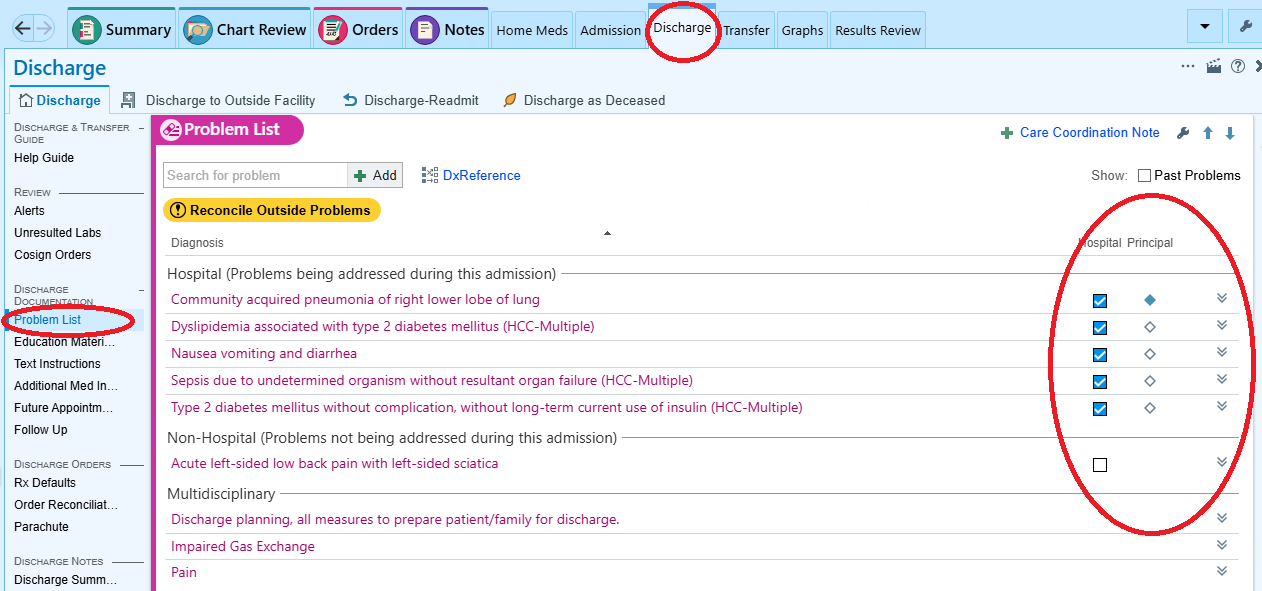
1. Update Problem List
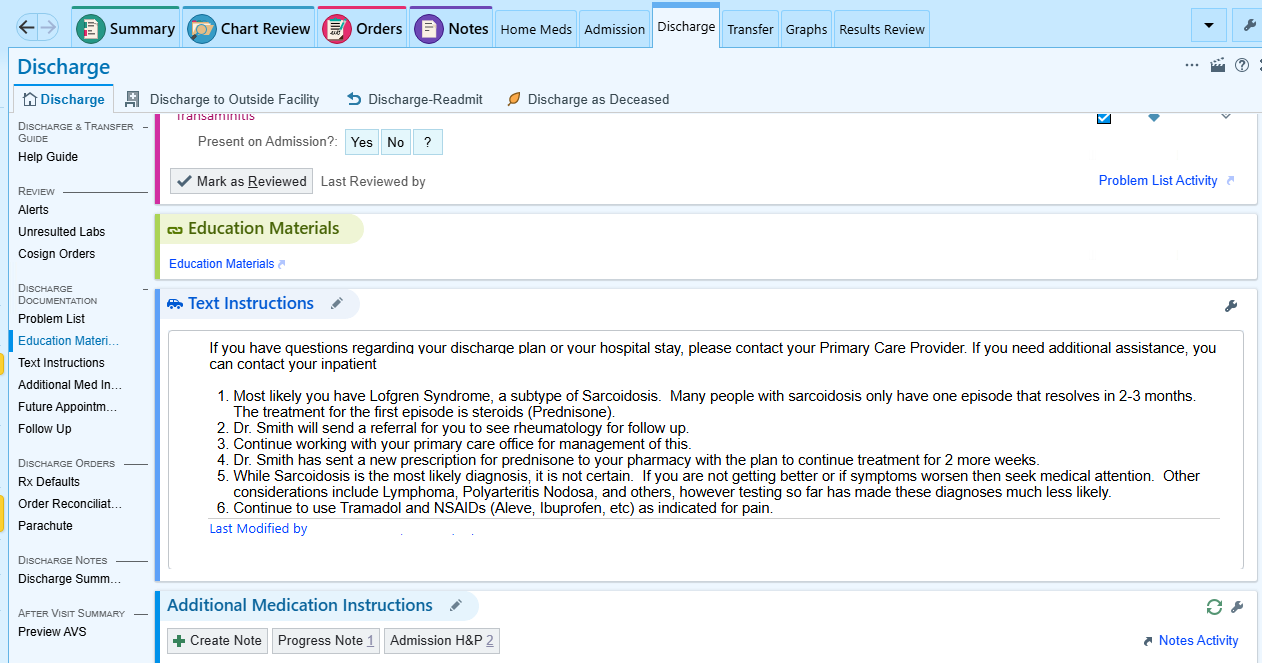
2. Write Discharge Instructions and Education
Populate the top of this box with the appropriate Care Manager Dot Phrase from above.
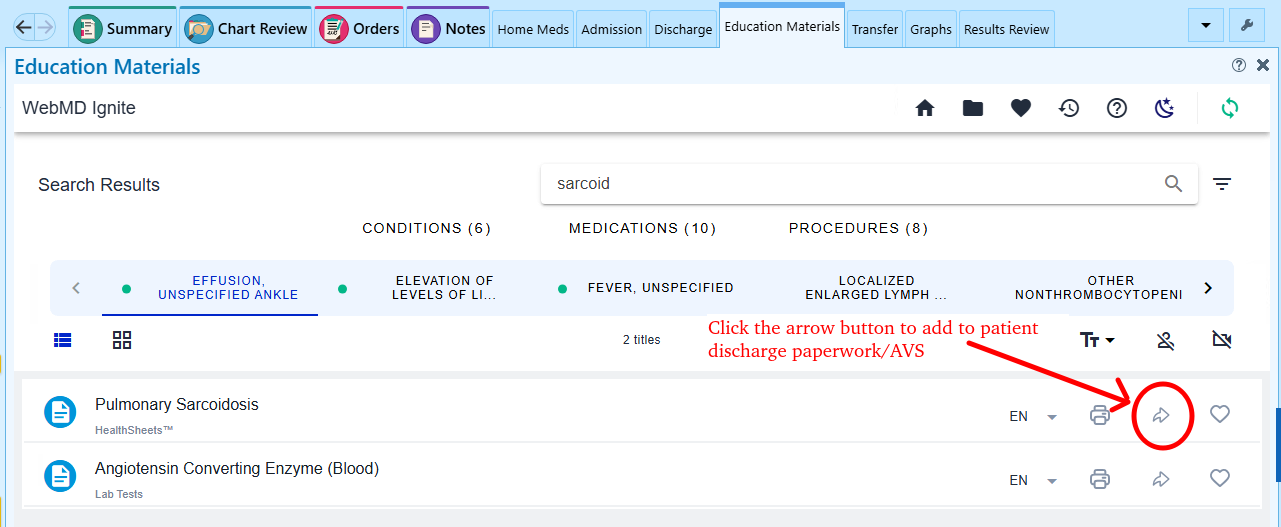
Optional: Education Materials
2b. SNF Discharge Text
IMPORTANT
If discharging to a SNF, add the
.hospitalistsnfdot phrase to the Discharge Instructions area and complete the wildcard fields.📋 Use the full SNF_Discharge_Checklist for a step-by-step guide covering orders, med rec, insulin, surgery coordination, and communication.
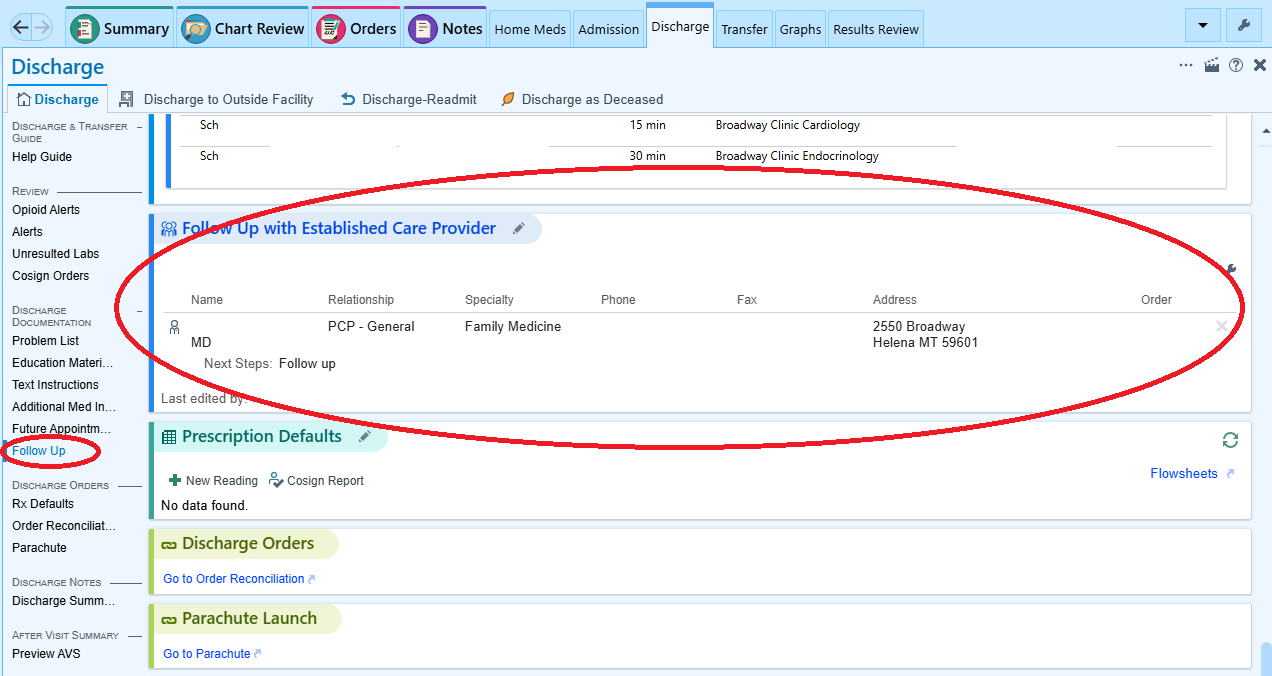
3. Set up Outpatient Follow Up
4. Perform Med Rec and Check Appropriate Pharmacy
ATTENTION
All controlled substances need new prescriptions sent to the SNF pharmacy, even if they are being continued from prior to admission!
IMPORTANT
If discharging to a SNF, ensure the correct pharmacy is selected at the bottom right of the Discharge Med Rec.
SNF_Pharmacy_Routing > SNF Pharmacy List
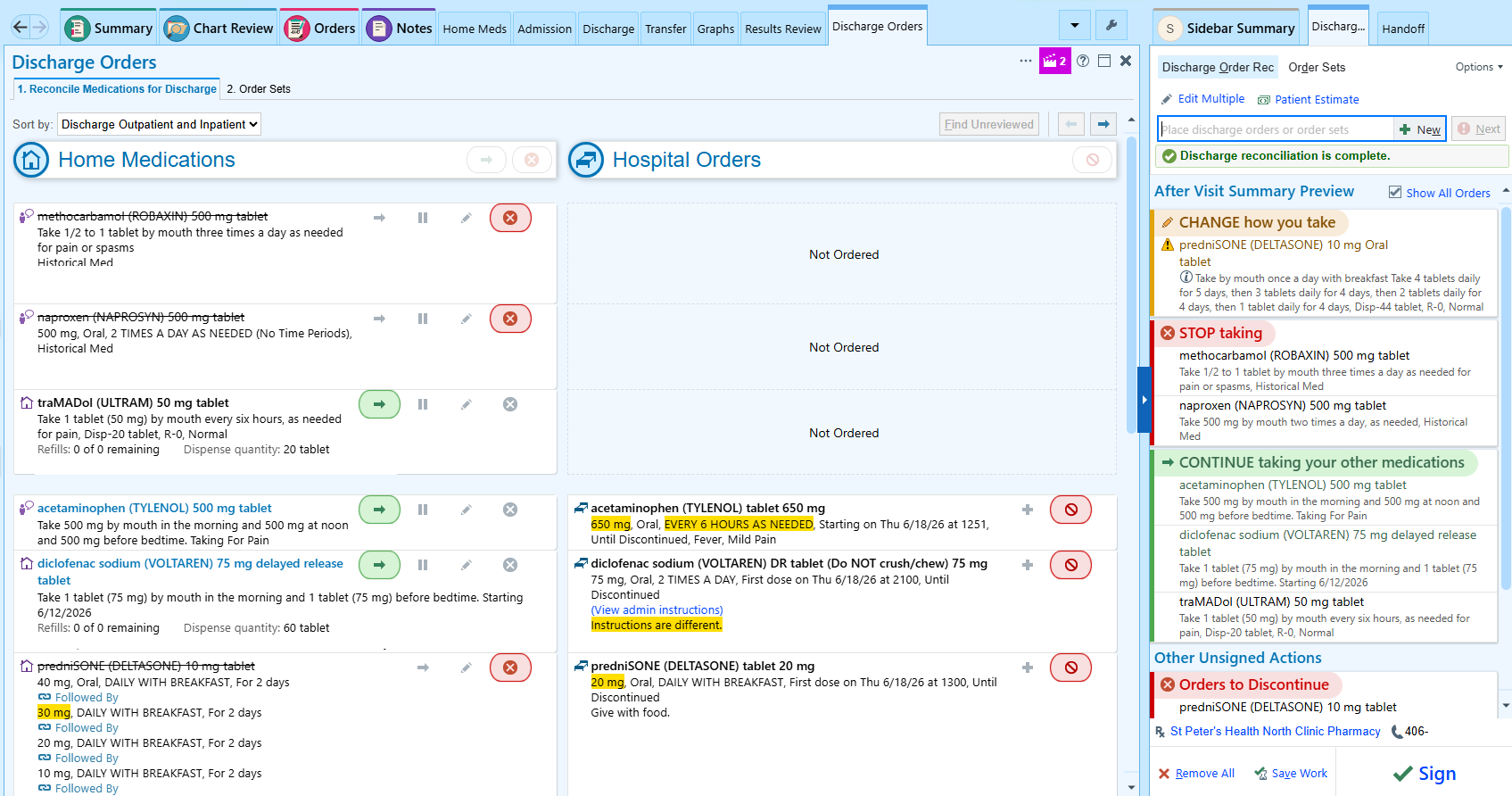
5. Order Outpatient Referrals (Home Health, Specialists, etc)
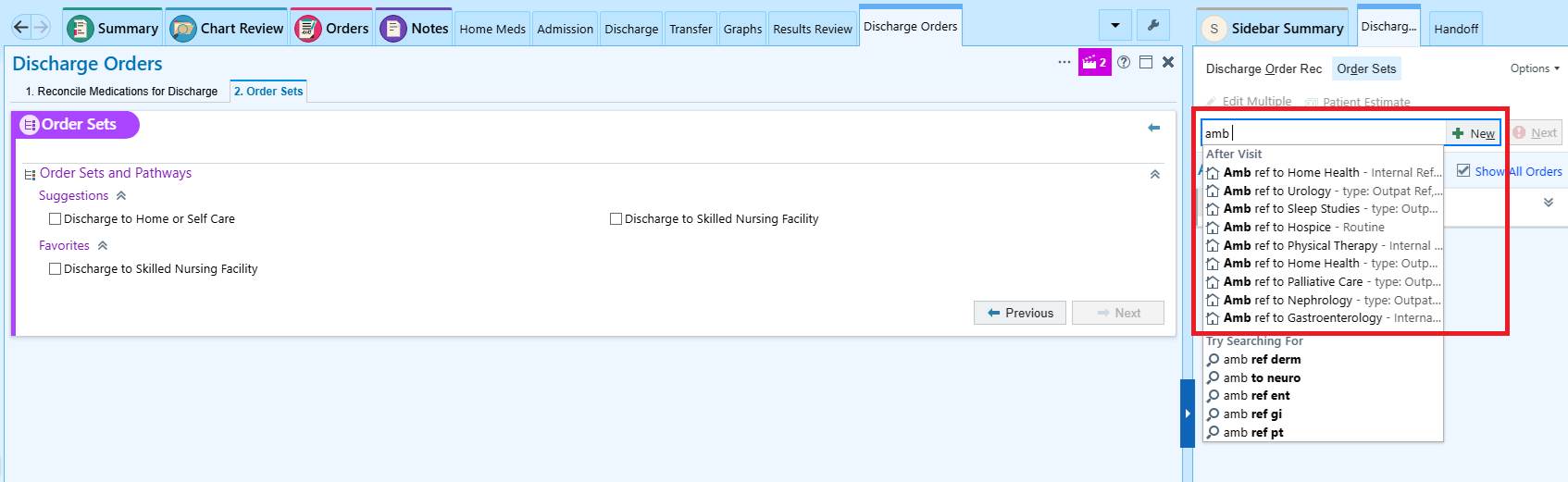
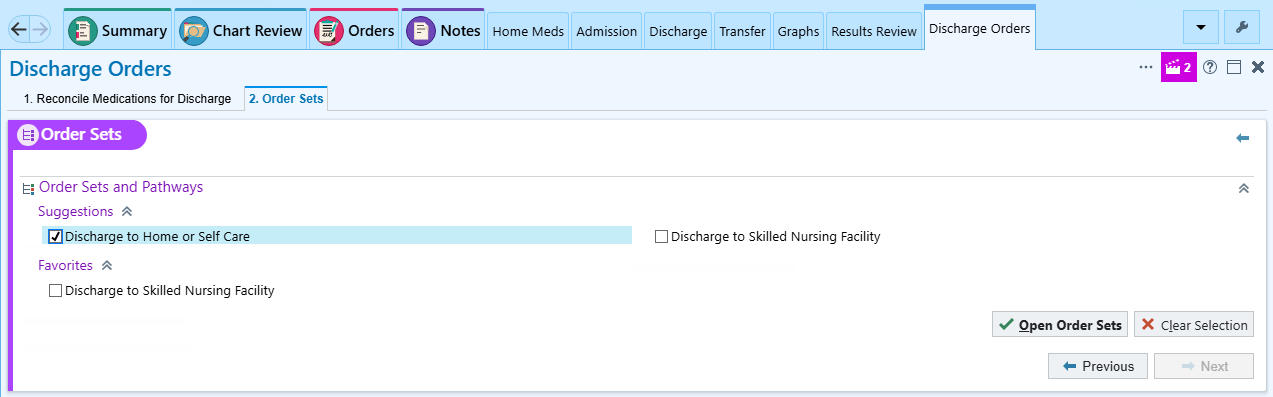
6. Complete Discharge Order Set and Sign
Use “Discharge to Home or Self Care” if going home or ALF
Use “Discharge to Skilled Nursing Facility” if going to a SNF
7. Write Discharge Summary
There are several dot phrases for Discharge Summaries
Discharge Summary Notes
Dot Phrase Author/Maintainer .RDSDISCHARGEDr. Smith .AACDISCHARGEDr. Coggins .SPHWNDCRDINSTRTWound Care Instructions for Discharge
Link to original
For SNF Discharges
If not already done in the Discharge Education step above (Step 2), add the
.HOSPITALISTSNFdot phrase to the Discharge Summary (usually in the yellow Follow Up box).